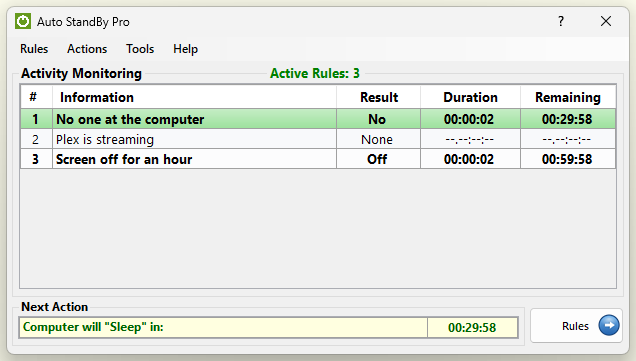
AutoStandByPro is a lightweight, rule-based power manager for Windows. It stops your computer from going to sleep in the middle of something that matters — a media stream, a download or a render — and puts it to sleep, shuts it down, locks it or wakes it up exactly when your own conditions are met, rather than on a fixed timer.
With AutoStandByPro you can Shutdown, Restart, Sleep, Hibernate, Lock Computer, Log Off the Current User or All Users, Prevent Display Sleep, Prevent Sleep/Hibernation or execute a Custom Command using a combination of different conditions such as Date/Time, Computer Display, User/System Process, Windows Service, Availability of a Machine on the Network, User/Keyboard/Mouse Activity, CPU/Disk/Download/Upload Activity, Http Get/Post Requests and Power Requests from other applications. Additionally AutoStandByPro can Wake Up a computer from a sleep state based on different date/time user defined schedules.
AutoStandByPro was designed from the start to make its advanced features easy to use for the average or novice user, with the least possible effort. Its intuitive graphical interface makes it possible to “program” your power management needs in just a few minutes, and the Simple Profile Wizard can create your first set of rules in a few simple steps.
AutoStandByPro is free to use, with no trial period and no license key required. An optional AutoStandByPro Plus upgrade adds extra features for people who need them, such as detecting user activity in every user session through a background service.