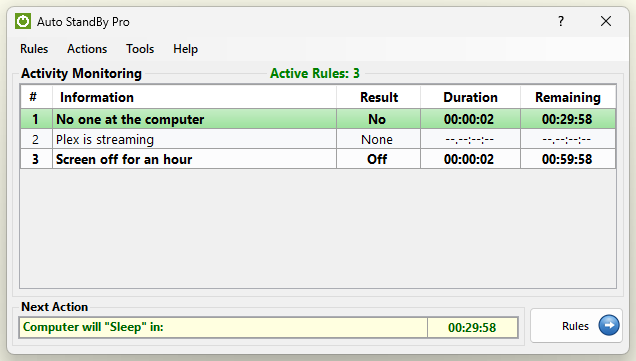
Activity Monitoring window is responsible for displaying in real-time information regarding each Rule. This information consists of the following:
When a Rule is activated then AutoStandByPro will highlighted it to indicate that it is now active. If more than one rules are activated at the same time then all of them will be highlighted.
Also the "Activity Monitoring" window is responsible for displaying the Next Action to be executed and the associated time frame until the execution of that Action. The action which is shown every time is the corresponding action of the active rule that has the least Remaining Time. Please note that at any point if any rule that has action to “Prevent Sleep/Hibernation” is activated, then this rule will take precedence over any other rule(s). The result will be that no other action will be executed until all the active rule(s) that are Preventing Sleep/Hibernation become inactive.