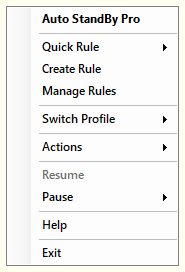

AutoStandByPro can be minimized to System Tray and continue processing rules in the background. When a user tries to close the "Activity Monitoring" window AutoStandByPro will be minimized to the System Tray. In order to restore the "Activity Monitoring" window please either double click on the AutoStandByPro system tray icon, or click on the system tray icon and then select from the context menu “Auto StandBy Pro”.
|
|