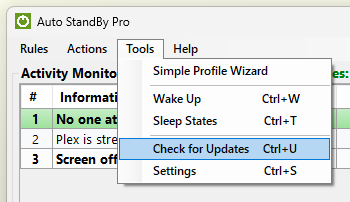
In order to check for updates for the AutoStandByPro application first open the “Activity Monitoring” window and from the “Tools” menu click on the option “Check for Updates”. If a new version exists a corresponding message will appear. Click “Yes” to download the new version or “No” to close the window and avoid downloading the new version.