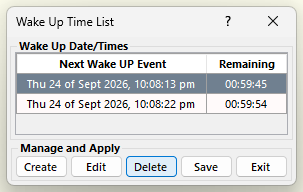
In the “Wake UP Time List” window click on the wake up event that you wish to delete from the “Wake UP Time List” window in order to select it. Then click on the “Delete” button to delete the event. AutoStandByPro will ask for confirmation before deleting the event. Click “Yes” to continue or “No” if you no longer wish to delete the selected event.