Create a new Wake Up Event
In order to Create a new wake up event on the “Wake UP Time List” window click on the “Create” button to open the “New Wake UP Time” window. On the opened window under “Trigger” section select one of the options:
- Once - Creates a non-repeating event that will only occur once. From the “Wake Up Only Once” section select the starting Date/Time.
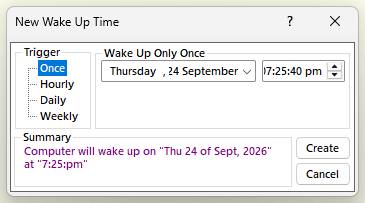
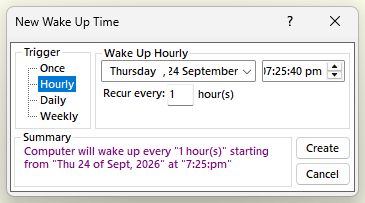
- Hourly - Creates a repeating event that will occur in hourly intervals. From the “Wake Up Hourly” section select the starting Date/Time. At the “Recur every” text box enter the hourly intervals that this event will be repeating.
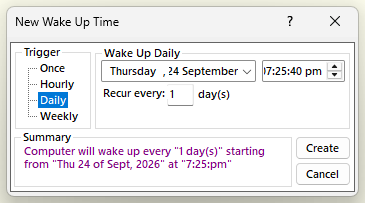
- Daily - Creates a repeating event that will occur in daily intervals. From the “Wake Up Daily” section select the starting Date/Time. At the “Recur every” text box enter the daily intervals that this event will be repeating.
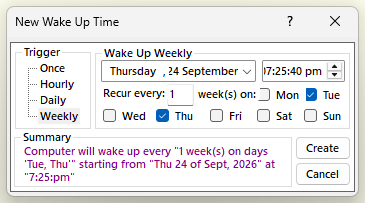
- Weekly - Creates a repeating event that will occur in weekly intervals on user defined days. From the “Wake Up Weekly” section select the starting Date/Time. At the “Recur every” text box enter the weekly intervals that this event will be repeating. Select each day of the week you wish this event to occur.
Click on the “Create” button to create the new event.